
How to use content mapping for smarter website redesigns
Coordinate content around user needs, unify team efforts, and lay groundwork that simplifies navigation and maximises conversions.
CONTENT DESIGN
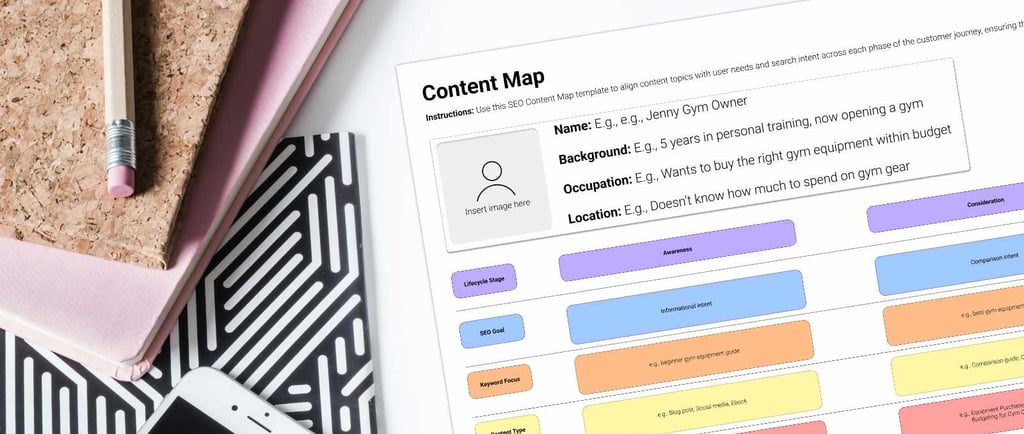
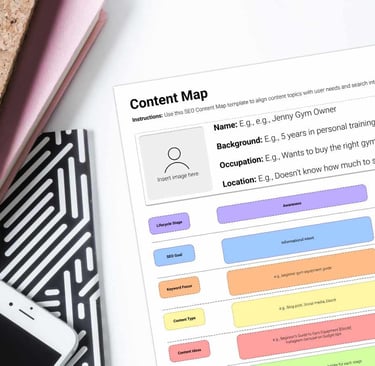
One of the biggest challenges in any website redesign project is getting the content right. Trying to figure out what stays, what goes, and how it all fits together can quickly turn into a confusing mess. But that’s why we’re here to help, have you heard about a content map? A content map gives you a bird’s-eye view of your website’s structure. It helps you see how your site pages relate to each other, identify gaps or redundancies, so you can build better navigation in your user’s journey and set a solid foundation for findability. This article will walk you through;
What content maps are,
Why they’re essential to any redesign, and;
How to create one step by step, even if you’ve never done it before.
What is a content map?
A content map is a visual representation of all the content that needs to exist on a website. While regular sitemaps list pages in a hierarchical structure, a content map goes deeper by focusing on user needs and intentions. This way, you can align your business goals with what users actually want and create a better website experience.
How content mapping improves redesign projects
Websites can’t exist without content, so content mapping is essential. Without it, users often get lost. For example, the content on a website's landing page is meant to inform visitors about the brand and guide them to other pages that lead to conversion goals, such as the "Products" or "Services" sections.
Here's how content mapping benefits redesign projects:
Prioritisation: It helps you prioritise which pages are essential and what content can be removed. This streamlining means a more focused website that meets user needs without overwhelming navigation.
Structure: When kick-starting a redesign project, content is one of the first things to discuss. You'll be behind if you wait until the design phase to think about it. A content map helps you adopt a content-first approach, creating a structure before you start designing. This means the design is informed by the content, not the other way round, for a more cohesive user experience.
Better collaboration: A content map helps content creators, designers, and developers collaborate better. With a visual reference, everyone can align on goals and expectations, no miscommunication, and everyone’s on the same page on deliverables.
No content gaps: When all content is mapped out, you ultimately prevent gaps or unnecessary duplication. This clarity means a streamlined navigation path and a better user experience.
How to create a content map
Now that you know what content mapping is and why it matters, you can start mapping out your own content. Here are 4 steps to follow:
Audit existing content: Always start with what you have. Identify what works, what needs to be updated, and what can be removed. This would serve as the foundation for your new content strategy.
Identify user journeys and touchpoints: Next, map out the user journeys that show how people interact with your site. Where do users look for information or make decisions—key touchpoints? This will inform your content creation.
Define page level goals: For each page, you would need to define what you want the user to do or achieve. What’s the goal? This helps guide the content and design decisions for each page.
Sketch or use tools: You can sketch on paper or use digital tools like FigJam, Miro, or even Veilworx's Content Map Template. Whatever works for you and your team.
Using the content map during the redesign
With your content map in hand, you now have a clear roadmap to guide you through the entire redesign process. Here's how to make the most of it:
Guiding wireframing: Each section of the content map should translate into wireframe elements. This way the layout reflects the content strategy and it’s easier to see how users will interact with each page.
Define Information Architecture (IA): When content is based on user needs and journeys, you can create a logical flow that guides users through the site, that is your information architecture. Each page should fit and support this structure.
Content creation and curation: Using the content map as a reference, create content that answers the goals for each page. Make sure the messaging is consistent and targeted to the audience. This step solidifies each page’s relevance.
Why bother at all? Well… Imagine going to a rowdy mall and immediately spotting what you're looking for. That's exactly what happens when you use a content map to guide your navigation. Understanding where users are headed and what they want on each page, creates a shopping experience that just makes sense. Which equates to higher conversions and happier customers.
Build an effective content map with Veilworx
Remember, content mapping gives your website redesign the clarity, strategy, alignment, and efficiency it needs. If you don't get this right, you risk losing out on the sales you should be making, and that happens all too often. Our goal at Veilworx is to help you avoid those pitfalls. With our guidance, you'll be able to outline, identify, and target your audience effectively.
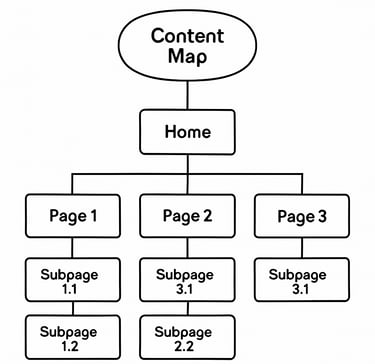
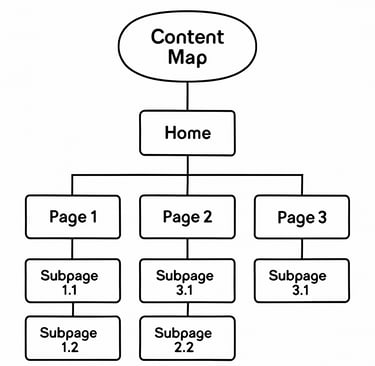
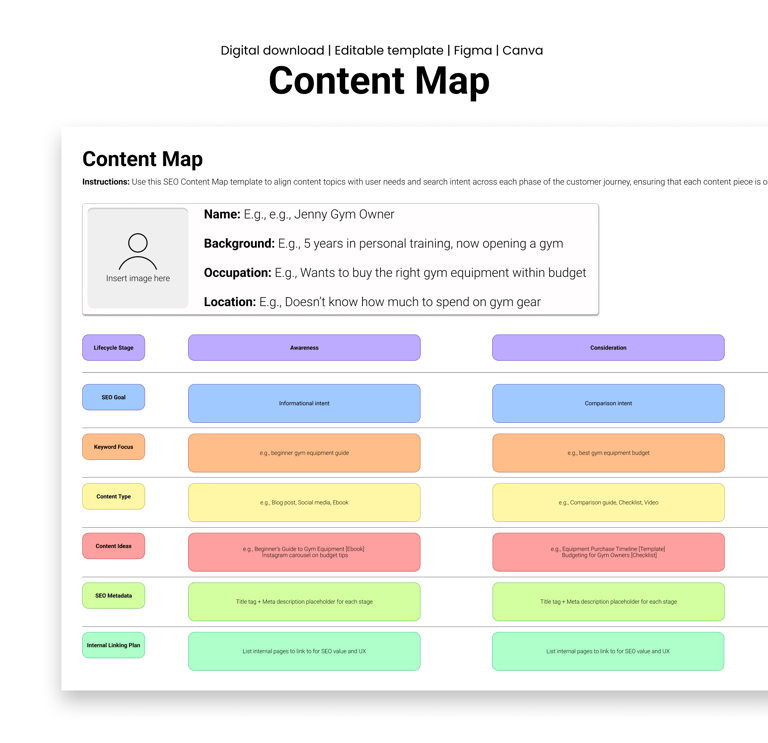
Explore Veilworx’s content map for content strategy and design planning to support your redesign!
Design resources that deliver results
Copyright © Veilworx Ltd 2024. All rights reserved.
Registered in England and Wales.
Company number: 15318142

Contact
Email: contact@veilworx.com
Address:
Office 9944, 182-184 High Street North East Ham London
E6 2JA
Business hours:
Monday to Saturday: 10am to 6pm
Sun: Closed