
How to plan a month of content in 60 minutes
A no-fuss system for creators, marketers, and founders to organise content categories, schedule them, draft fast briefs, and simplify the process using smart tools.
CONTENT DESIGN
Veilworx


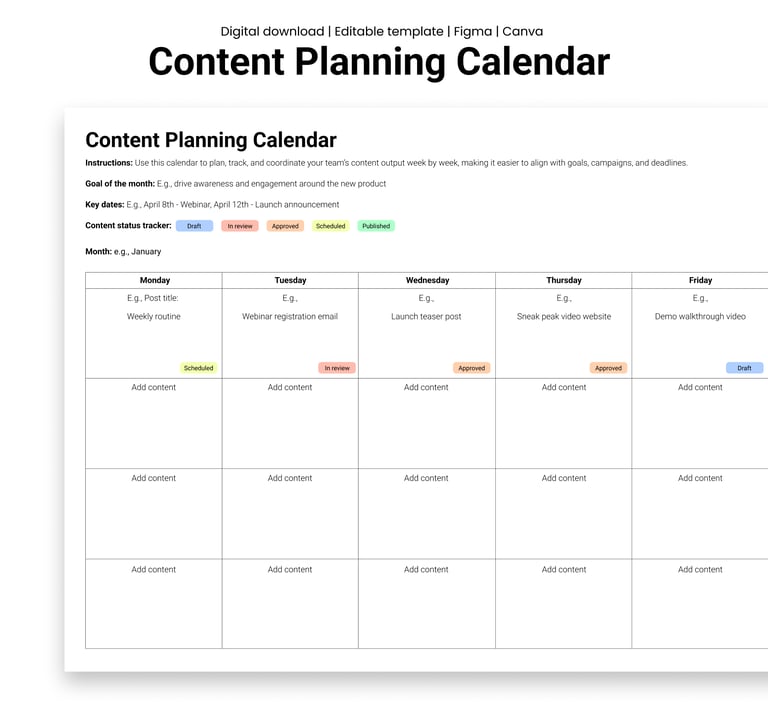
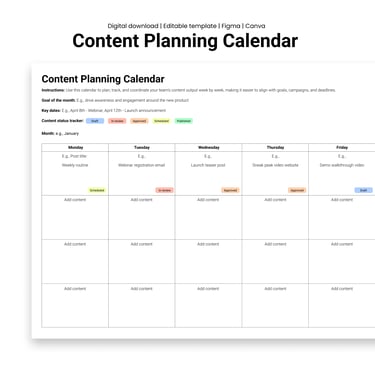
If you spend more time planning your content than creating it, you're doing it wrong. All you need is 60 focused minutes and a decent device, and you can map out an entire month's worth of content before your first coffee gets cold. This method is built to save you time, erase confusion, and help you show up consistently without burning out. You can grab this editable Content Planning Calendar template and follow along. We promise you'll be done in an hour.
Now lets begin!
Step 1: Set yourself up for speed
Before the timer starts, here's what you need:
One uninterrupted hour so remember to silence those Slack notifications
A calendar tool like Google Sheets, Notion, or the content planning template you grabbed earlier
Your core themes which you want to be known for; your products, services, or offerings
Key dates such as product launches, holidays, events, etc
Think of this as your content parameter. It sets boundaries so you don't waste time figuring out what's in or out. If you're confused about content themes, here's a guide on how to pick and choose them.
Step 2: Pick 3-5 content categories
This is your repeatable content engine. Choose 3-5 types of posts you can cycle through without reinventing the wheel. For example:
Educational (Tips, tutorials, and short how-tos)
Promotional (Product highlights, features, offers)
Behind-the-scenes (Team wins, culture, processes)
Curated (Sharing helpful articles, tools, trends)
Engagement (questions, polls, etc.)
This keeps your feed interesting and helps you balance value with visibility. Mixing formats in this way ensures you and your audience avoid fatigue. Think of it like a balanced diet: too much promo and people will likely tune out. Too many tips and you set yourself up to be forgettable.
Step 3: Plot it into a calendar
After sorting out your categories, it's time to drop your ideas into the visual calendar you had from the start. For the best results, ensure to:
Plan 1-2 posts per week. The aim is consistency, not overload. You don’t want your audience to get tired of seeing your content pop up.
Use patterns, e.g., Tip Tuesday, Feature Friday, Sunday Scoop. This introduces a flow to your audience that keeps them anticipating the next drop.
Schedule lighter content around launches or busy periods. You prevent burnout for yourself and confusion for your audience.
You can use tools like CoSchedule's Headline Analyser to improve post titles as you go.
Step 4: Write mini-briefs or headlines
Don't write full posts yet. That's not the goal here. For now, just sketch out each idea with:
A working title
The goal (e.g. drive signups, boost engagement)
Format (carousel, video, blog link, etc.)
CTA (e.g. "Save this", "Try this tip", "Learn more")
Here’s an example:
Post Title: 3 Quick Wins for Better UX Copy
Goal: Position us as experts
Format: Image carousel
CTA: Save for your next wireframe
This straightforward customisable Content Brief can help you or your team pick up the idea and execute without guessing.
Step 5: Use tools to move even faster
Here are some other tools to automate or shortcut your planning time:
ChatGPT to draft CTAs, hook ideas, and post variations
AI tools like Canva Magic Write or Jasper AI can help speed up brainstorming if you're stuck.
Wrapping up
This method is planned with repeatability in mind. Once you do it once, the next month becomes easier and faster. You already know your content types, key dates, and rhythm, so it becomes a case of tweaking to fit your audience's needs rather than building from scratch.
Some bonus questions you should ask before starting the next monthly content plan after the first month are:
What performed well last month?
Did I post too much of one type of content?
What's happening this month that I should talk about?
You should spend at least 5 minutes reviewing before you plan again. It does make a difference. Content planning does not have to be hectic. All you need is a system that works with your time and this one's built for speed, clarity, and actual results.
Set a timer, grab the monthly content planner, and make content planning the easiest part of your workflow!
Design resources that deliver results
Copyright © Veilworx Ltd 2024. All rights reserved.
Registered in England and Wales.
Company number: 15318142

Contact
Email: contact@veilworx.com
Address:
Office 9944, 182-184 High Street North East Ham London
E6 2JA
Business hours:
Monday to Saturday: 10am to 6pm
Sun: Closed