
Crafting detailed user personas for more targeted design
Use real user input, data, and interviews to create meaningful personas that reflect true motivations and steer clear of common missteps.
USER RESEARCH
Veilworx
7/5/20253 min read
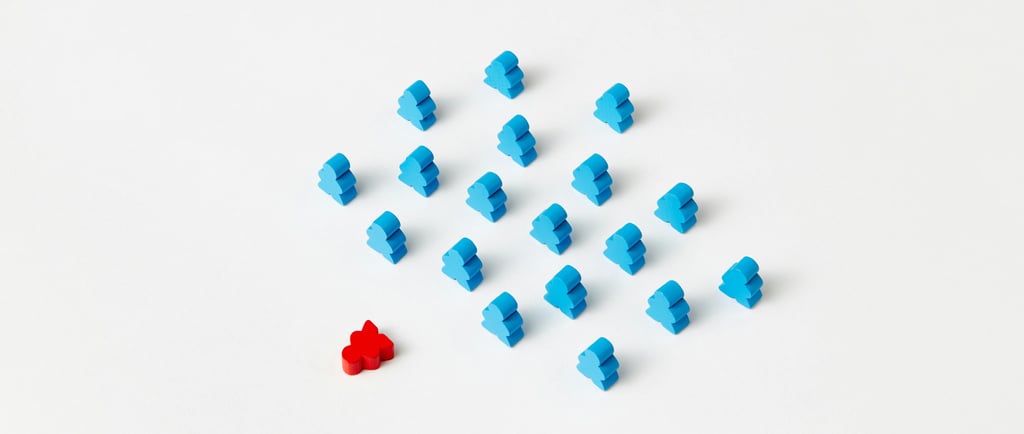
A lot of times, we create user personas and forget about them. Why? Because they're either too vague, too generic, or simply not useful. For your personas to really guide design decisions, they need to be specific, evidence-based, and actionable. This guide walks you through how to build user personas that actually add value to your research, design and delivery.
What makes a good user persona?
A strong, usable persona goes far beyond "35-year-old Sarah who works in marketing." You don't need to document every aspect of the imaginary individual's life, but those characteristics that impact what is being designed are essential. A good user persona has to:
Go past demographics and focus on motivations, behaviour, and goals.
Be rooted in real data drawn from interviews, usage analytics, etc., not mere assumptions.
Feel human so your team relates to it, but still uses it as a tool to make decisions.
Be context-driven and more about how your users interact with your product or service.
Gathering the right information for user personas
Creating a persona is really about listening. The most effective user personas are built on rich, qualitative insights, and they can be obtained from:
User interviews and surveys that reveal true behaviour, goals, and language.
Usability testing and session recordings which helps you see how people relate to the product or service.
Customer support logs that capture real pain points users repeatedly face.
Analytic tools like GoogleAnalytics or Hotjar which helps decode patterns in user journeys.
Product feedback or reviews which provide unfiltered, authentic user voices and feelings.
Always prioritise behavioural data over assumptions. A genuine quote from a user is better than ten imagined personas.
Structure of a detailed user persona
Follow this outline to create detailed, usable personas:
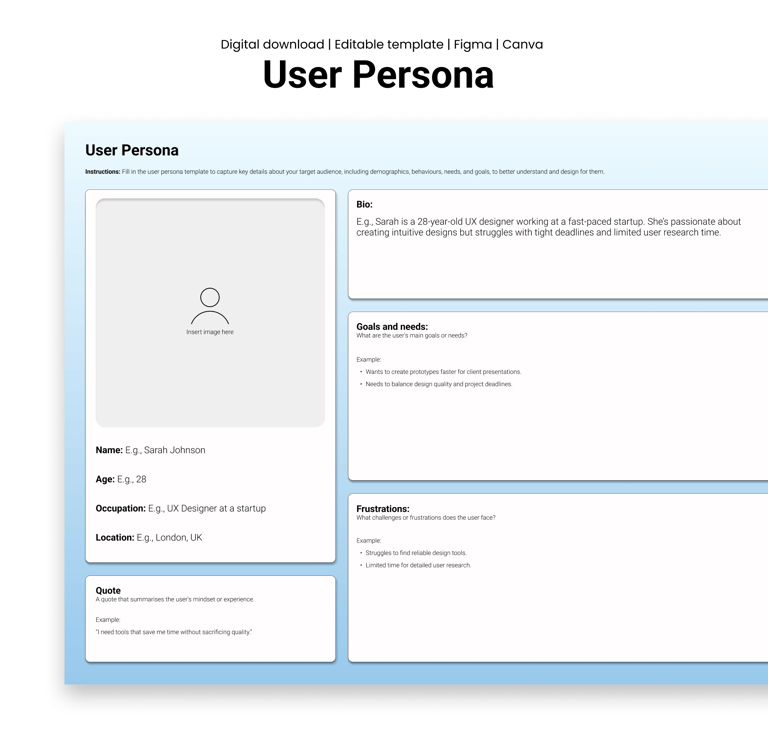
Profile: This should include their name, age, job title, location, a snapshot and a summary of their context (e.g., Remote team lead juggling multiple tools)
Goals and motivations: What is this user trying to achieve with your product? What does success look like to them? (e.g., Onboarding new employees faster without overwhelming them.)
Pain points and challenges: Find out what obstructs their progress or frustrates them in their workflow. For example, I hate when I have to scroll through Slack to find onboarding documents.
Behaviours and attitudes: This section should describe how the user typically approaches problems, their level of comfort with technology, and whether they prefer self-service solutions or more guided support, etc
Tools and environment: This section captures things like the devices they use (e.g., mobile or desktop), the key tools in their daily workflow (e.g., Notion, Figma, Excel), and the physical or digital environment they typically work in (e.g., quiet office, remote setup, or busy shop floor).
Real quotes: Include snippets from actual interviews that reflect their mindset. For example, if it takes more than five clicks, I'm moving on.
Pitfalls to avoid when creating personas
Watch out for these habits and avoid them:
Too many personas: Focus on your primary 2-3 archetypes. More than that, and you might lose clarity.
Generic placeholders: Avoid vague bios. If it sounds like it could describe anyone, it describes no one.
No validation: Review with stakeholders, real users, or internal teams. Don't design alone.
Treating them as static: Personas should be flexible and evolve with your project. Revisit and update regularly.
How to use personas in your design process
Personas are tools; here's how to make sure you use them:
Involve cross-functional teams: Share personas with your developers, marketing team, content designers, and support teams so everyone has the same user in mind.
Reference them during project decisions: Use personas when prioritising team focus, features, developing wireframes, or content tone.
Keep them in sight: Use them in collaborative work tools like FigJam, Notion, or Jira. The more accessible they are, the more likely they'll get used.
Use them in ideation sessions: Ask "What would Rachel (a persona) think of this flow?" to stay tethered to user reality.
Personas are strategic design tools. They are a lens through which your entire team can better understand your users and start designing for real people with real goals and real struggles. Just always remember to make it detailed, keep it evidence-based, use it regularly, revisit and update often.
In case you’re eager to implement what we’ve discussed, check out this fully-editable user persona template from Vielworx.
Design resources that deliver results
Copyright © Veilworx Ltd 2024. All rights reserved.
Registered in England and Wales.
Company number: 15318142

Contact
Email: contact@veilworx.com
Address:
Office 9944, 182-184 High Street North East Ham London
E6 2JA
Business hours:
Monday to Saturday: 10am to 6pm
Sun: Closed